Don’t watch the whole thing. Play the parts that matter.
Yank finds five source-backed moments and plays them in the original speaker’s voice, one after another.
19 minutes → 29 seconds
Yank's 5 · line 1 of 5
❝
If you're not prepared to be wrong, you'll never come up with anything original. And by the time they get to be adults, most kids have lost that capacity.
Paraphrasing Sir Ken Robinson · 5:57 · Distilled · its moment
1 of 5 · 0:00 / 0:29
What else you can do
Get through more, without losing the source.
Read lessArticles and PDFs become five sourced lines worth knowing.Paste a link
Watch lessPlay the five moments that matter in the speaker's own voice.See an example
Turn your content into a playlistPaste multiple links and play through the parts that matter.Make a playlist
Keep your own linesHighlight the words you want and keep them as a sourced card.Choose your own
Check a quoteSee whether it appears in the source and what came before and after.Check a quote
Create from itCards, carousels, presentations and more, with sources attached.Create from your sources
Latest yanks
The newest of each kind, and a song to try.View all
Give yank a link or a file and it returns five lines worth keeping — each one checked against that source, located in it, and, for anything with a public link, given a permanent address. A long article, podcast, video or PDF opens with an AI summary of the whole thing, labelled as Yank's words, and the few points worth knowing, each tied to where the source says it. On a video or a podcast the five play in the speaker's own voice; an article's are read aloud. When fewer than five lines survive the editor it never pads them; you get a Yank Summary of what the source says instead. More
What can yank do?
More than the box suggests. Almost all of it starts in that same box:
Five lines from almost anything. YouTube; podcasts from Apple Podcasts, Spotify, Overcast, Pocket Casts, Castro or any RSS feed; articles, essays and newsletters; Facebook, Instagram, TikTok and X videos; MP4 and MP3 links; SEC filings; and public PDFs, where every line cites its page. A source in another language stays in its own language. Paste a link that has already been yanked and you get the original yank, not a copy. More
Yank Clips. A reel, a Short, a TikTok or any clip of three minutes or less is a Yank Clip: it keeps the lines it has, one to five, and says it is a clip. A reel of quotes gives a card for each quote, and a quote the clip credits to someone says "Attributed to" them, because the name on a viral quote is often not the person who wrote it.
Play Yank's 5. On a video or a podcast, the five moments that matter play one after another, each in the speaker's own voice and the source's own player, from the line's first word to its last. Brené Brown's 20-minute TED talk plays in under a minute and a half. Tap a key moment to jump straight to it. It keeps playing while you browse the rest of the site (a switch turns that off), with controls on your phone's lock screen; T opens the theater, F the focus view. Nothing is generated: the words and the voice are the source's. More
Listen instead of reading. An article's or a PDF's lines are read aloud by an AI voice from ElevenLabs (Matilda or George), or by your own device's voice if you prefer, and a yank you read in another language is heard in that language. A long video or episode also offers a ten-minute cut: the source's own words around its five, never the whole thing. In Yank Reader you can listen to a full article from where you are.
Turn your content into a playlist. Videos, podcasts, articles and PDFs in one playlist with its own link: they play and read through in order, and you can ask the whole playlist a question or turn it into one written article. See the next question for how. More
Combine sources into one yank. Paste two to five links, or open a playlist, and press Combine into one yank: one page with the five lines that matter across all of them, each from the source that said it and playing in its own voice, and what the sources say together, where they agree and where they disagree, every point tied to the lines it rests on. More
Ask the source. Ask a question on any yank and Yank answers only from what the source says, quoting it and showing where. When the source doesn't say, it tells you so rather than guessing. Ask a playlist what its sources agree on, and every point names the source that says it.
Understand it first. A long article, podcast, video or PDF opens with an AI summary: the whole story in plain prose, labelled as Yank's words, not quotes. Beside it, the Yank Summary: the few things worth knowing, each linked to the second, page or passage where the source says it. Every number and name in both is checked against the source. On a YouTube video its publisher split into chapters, Yank can summarize each chapter so you know which to watch. More
Just the part you want. Yank the first 5 or 30 minutes, the last 30, the middle hour, or a stretch you choose of a long video or podcast. Paste a link with a timestamp and, when a line sits close to that moment, it comes first. Ask for another part of a YouTube video, or press Yank it again for a different five.
Choose your own words. Every yank opens three ways: its page, the theater, where the five play full size, and the five as Cards. Choose your own lets you highlight the exact words you want from the source, an article or a moment of a video, and keep them as a sourced card. A word-for-word line from an article opens the publisher's page on its exact words; a line from a PDF opens the PDF at its page.
Who said it. A card names who says the line when the source establishes it: the talk's presenter, the channel, or the voices in the recording itself. It never guesses, and you can add a speaker for Yank to check.
In your language. A yank opens in your device's language, or the one you chose, in any of 19 languages: its lines, its summaries and the voice that reads them. A translation is always labelled as one, the original is always the evidence, and Original switches back.
Songs, in your language. Paste a song or music video and yank opens its lyric sheet instead of choosing five, with a translation beside every line in any of 19 languages. Pick the lines you love and they become a card you can share. The full lyrics are never published as a page. See below for how. More
Find a song without a link. Drop or paste a screenshot of a song playing on Spotify, Apple Music, TikTok or anywhere that shows its title, type its name, or add a recording of it: Yank reads the title off the image or the file, or listens to 30 seconds on your device, then gives you three YouTube matches to pick from. The image is used once and not kept, and the recording never leaves your device. More
Not five? A Yank Summary. When a source Yank read doesn't have five lines worth keeping, it doesn't pad them or leave you empty-handed: it tells you what the source says in a few points, labelled AI-written, each tied to where the source says it, with the reason there were not five. Or choose the lines yourself: highlight the words you want and each one becomes a card.
Check a quote. Paste a quote and the link it supposedly comes from. Yank reads the source and says Found, Close match, Distilled match, Not found or Can't establish, and shows you where, with the source's own words just before and after it, and for a YouTube video plays the moment in context. Copy the check's link to show someone. It judges whether the words are there, never whether they are true. More
What people are saying. On a YouTube yank, open the video's most-liked and most-replied-to comments on a tap, next to the lines.
Behind a paywall? Yank won't get around it. If you can read the article, paste it in and yank checks the five against your copy. Nothing you paste is saved or published.
Your own files, privately. Drop a PDF, a Word, text or Markdown file, a recording (MP3, WAV, M4A) or a caption file (SRT, VTT). It is read in your browser, a recording is transcribed in your browser, a scanned page is read by OCR in your browser, and only the extracted text is sent. These yanks are never saved or published. More
Search everything ever yanked. Search finds songs, sources, channels, summaries and lines as you type, and searches inside the full transcripts of every video and podcast Yank has read. Every source has its own page with an RSS feed. More
Share one line. Every line of a public yank has its own short address and its own share image: the card, the card over the source's artwork, or story size. Copy it as Markdown, send it to Obsidian or Readwise, customize the card in ThumbCrafted, watch the lines back to back on Playback, or embed the card on your own site.
Keep what you like. Keep a line with the bookmark on its card, or save an article in Yank Reader, and find them again under Saved; your playlists are listed under Your playlists. They are kept on this device, and no account is needed.
The Board. Playlists picked by Yank's editor, ready to play from the first line. More
Yank from anywhere. Add yank to your home screen on Android and it appears in the share sheet; on iPhone it takes one Shortcut; on a computer, one bookmark. More
For AI agents. A free JSON API and an MCP server, listed on the official MCP Registry, let an agent search lines, fetch a yank with its receipts, and check a quote. No key, no account. More
Something to do while you wait. A long video takes a minute, and if its transcription runs long, Yank picks it up again by itself rather than making you try again. Meanwhile, or any time, play YANK! The Game: break the wall with the pill (the bricks play Für Elise when the sound is on), keep your best score on this device, and send a friend a challenge. More
How do I make a playlist from different types of media?
Open Make a playlist and paste up to five links at once, of any kind: a YouTube video, a podcast episode, an article, a PDF, an X or TikTok post. Press Yank these links and Yank finds each one's five lines; give it a name and it becomes a playlist with its own link, which anyone you send it to can play. Add more any time with + Add to playlist on any yank, its cards or its theater: just that moment, or all five from that source, up to 25 in a playlist. Press Play and each kind plays its own way: a YouTube video's, a podcast's or an X video's lines play from their own moments, in the speaker's voice and the source's own player, and anything that can't be played that way (an article, a PDF, a TikTok) is read aloud by an AI voice, or your device's. It keeps playing as you move around the site, with controls on your phone's lock screen. In the playlist you can reorder or remove what's in it, ask it a question, or turn it into one written article with Write it up. No account needed: your playlists stay on this device, listed under Your playlists. More
How do I translate music and what languages do you support?
Paste a song's YouTube, Spotify or Apple Music link into the box (or drop a screenshot or a recording of it), and Yank opens its lyric sheet: the words as the recording is heard. Choose a language and every line gets its translation beside it. Each line is translated from the language it is sung in, so a song that switches languages is handled line by line, and a second reader checks every line: one it is unsure of is marked, never guessed, and a stretch the captions missed is shown as missing rather than invented. Pick the lines you love and they become a card you can share; the full lyrics are never published as a page. Yank translates into 19 languages: English, Spanish, French, German, Portuguese, Italian, Dutch, Polish, Turkish, Greek, Japanese, Korean, Chinese, Vietnamese, Indonesian, Hebrew, Arabic, Hindi, Russian. The same languages work for every yank, not only songs. More
Are the lines real quotes?
Every card is either verbatim or distilled. Verbatim means those exact words appear in the source (its transcript, its text or its pages), checked mechanically after extraction, not by the model's say-so. Distilled means we paraphrased, and the card says so and shows what was actually said beside it. More
Why use yank instead of asking ChatGPT?
Yank provides more than just AI summaries. Every provided line points back to the exact passage, timestamp, or moment it came from. A chat gives you one summary, and you cannot check any of it without re-reading the source. Yank gives you two different summaries plus the evidence. The AI summary tells the whole story in plain prose, labelled as Yank's words. The Yank Summary lists the few things worth knowing, each linked to the second, page or passage where the source says it. Every number and name in both is checked against the source. Then come the five lines worth keeping, found in the source itself and labelled verbatim or distilled. Each line is a Yank card with its own permanent address, ready to save and share, and each carries a receipt showing exactly where it came from. Ask it a question and the answer comes only from the source, with the quote that supports it. On a video or a podcast, Yank can play those five moments in the speaker's own voice, and it can get you through several sources at once as one playlist. We ran the experiment on the same article and asked ChatGPT itself which one to use; its answer is on the page. More
Why five lines?
Five is the format. When fewer than five lines survive the editor, yank refuses instead of padding. A refusal is a result, not an error, and it never gets a permanent page. A clip of three minutes or less is the exception, a Yank Clip: it is one moment, so it keeps the one to five lines it has, and says so. More
Do yanks expire?
No. A yank of a link gets a permanent URL, and every line on it has its own address and share image; there is nothing to renew and nothing to download before it disappears. Yank the same link again and you are taken to the original, so a source has one page. A yank of a file you drop or text you paste is the exception, by design: it is never saved, and it lives only in your open tab.
I publish articles. What does yank do with mine?
Quotes them and credits you. Every card carries your name, links back to the original, and gives the line a permanent address a reader can carry anywhere. A summary of your piece is always labelled as Yank's words, never yours, and a quotation that is not literally in your text is demoted rather than published as one. If yank has read you before, your work already has a source page here with its own feed.
How can I tell if my content is yankable?
Paste any URL of yours into the check. It reports what yank can actually establish — whether the page can be read, whether the author and canonical URL are there, whether a line can be located inside it — and what to change when something is missing. There is nothing to install, and the check creates nothing. More
 YouTubeUniversal basic income is a fancy European or American way of describing communism.
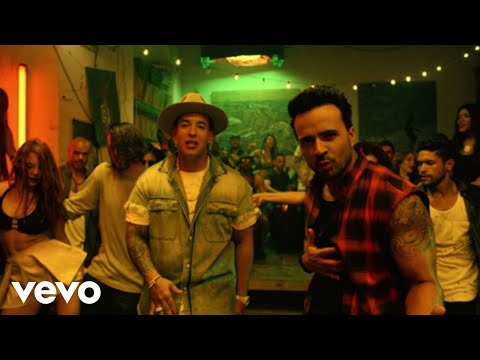 SongDespacito ft. Daddy Yankee: the Spanish with English beside it, line by line.